
Turning on Developer Mode
Now that you have signed a signer app, it's time to turn on Developer Mode.
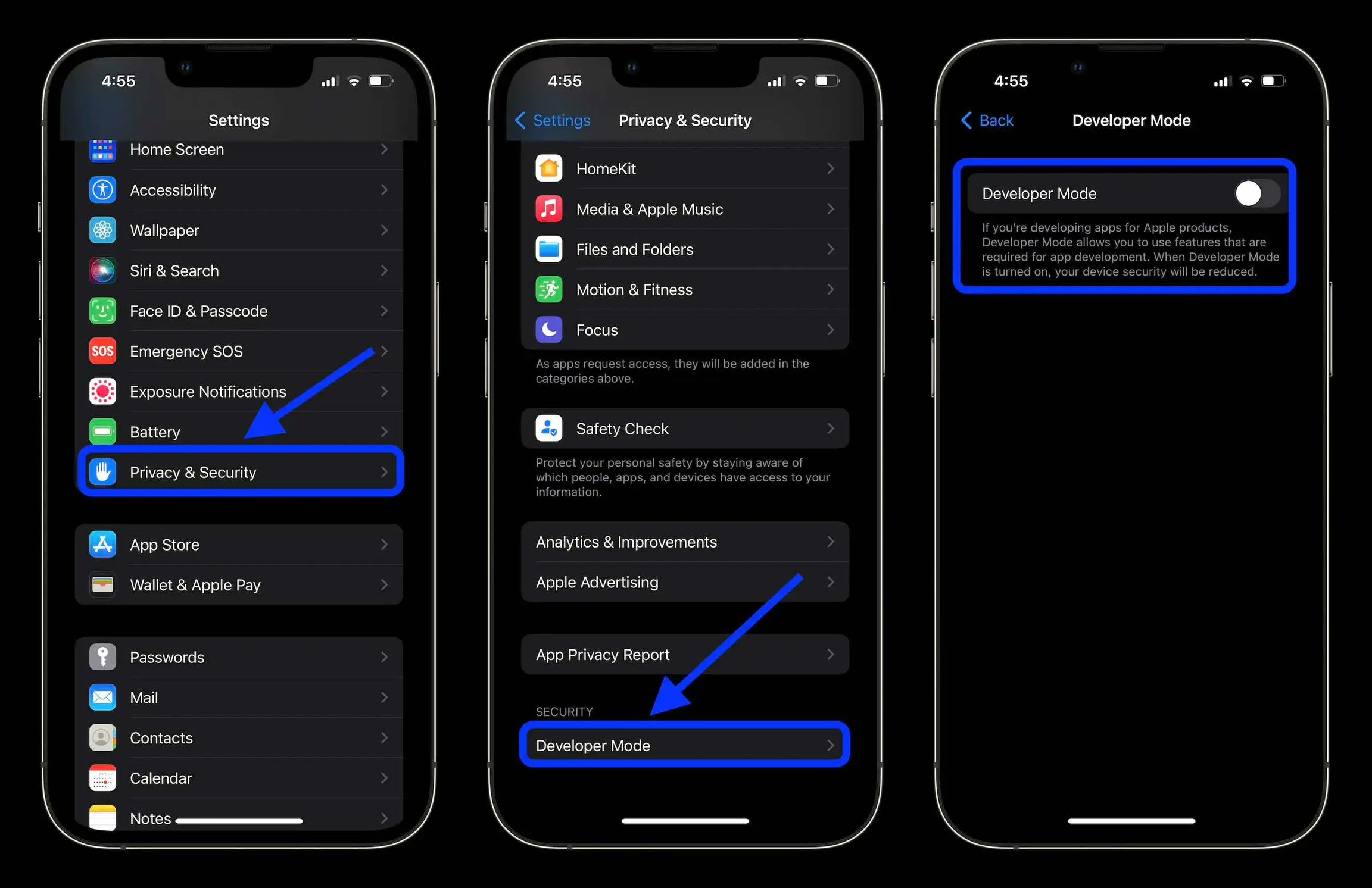
- In your Settings app, navigate to Privacy & Security.
- At the bottom of this page should show developer mode, enter this menu
- Flip the switch to turn your developer mode on. Now, allow your phone to restart.
Follow the instructions to set up your chosen signer: